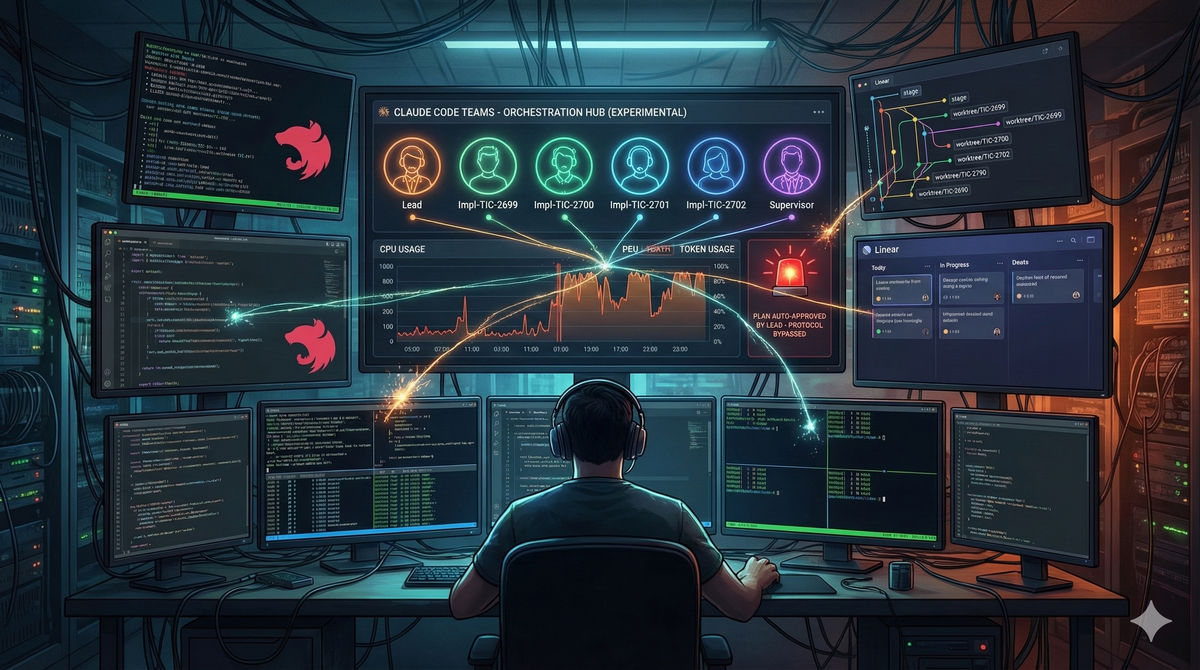
Claude Code Teams: Orchestrating AI Agents
In the world of software development and AI, agent orchestration is the order of the day: you assign tasks to a team of agents and, in theory, you dedicate yourself to supervising while they implement.
I wanted to test for myself how this orchestration worked and how much reality there is to all of this. So I decided to put the experimental Claude Code Teams feature to the test in a real-world scenario: a production service built with NestJS, four Linear tickets, and zero laboratory conditions.
The result surprised me for the better, and quite a bit.
Context: Why it wasn't an announced failure
The biggest myth to debunk is that you can throw an AI against a messy repository and expect decent results. If your code is chaos, the AI will automate that chaos at the speed of light.
My experiment worked for a reason I prepared in advance: the project was optimized to be consumed by artificial intelligence. This included:
- A robust
CLAUDE.mdfile with the general conventions of the project. - A
docs/folder detailing the architecture and testing strategy. - An explicit
README.mdin each NestJS module. - Infrastructure scripts like
worktree-create.shandworktree-clean.shthat were already part of the repository.
Thanks to that level of documentation and tooling, the agents had the cognitive context necessary to make decisions aligned with the existing architecture. AI doesn't guess intentions; it needs you to pave the way.
I don't know if the concept of Harness engineering rings a bell, but a team at OpenAI also ran a test with Codex and their conclusion was similar to the one I reached in my tests. I'll leave you the link in case you want to take a look: Harnessing AI for Software Engineering.The Tasks: A dynamic rule engine
The four tickets made up a complete vertical feature to introduce a dynamic rule engine into the system. Each ticket represented a different layer of the implementation:
- Entity and migration: Create a new TypeORM entity with its migration to store rule definitions in JSON format, replacing validations that were previously hardcoded in the frontend.
- Seed script: Populate the new table with the existing implicit rules, translated into the rule engine's format.
- Services and API layer: Implement repository, service, controller and an evaluation service, exposing a read endpoint for the frontend.
- Server-side validation: Integrate the rule engine evaluation into the order submission endpoint as an authoritative validation gate before creation.
The sequence was deliberately incremental: each ticket depended on the previous one. This posed an additional challenge for orchestration, since—in theory—the agents could not work in pure parallel without coordination.
The orchestration prompt: Engineering before code
Before running anything, I invested time in designing a detailed orchestration prompt. It's not a casual two-line message; it's a technical document that defines the team structure, workflow, isolation constraints, and verification protocols.
I include the full prompt here because I think it illustrates better than any explanation the kind of work involved in orchestrating agents:
Full orchestration prompt (click to expand)
# Team Setup for Linear Tasks

## 1. Context Gathering
Use the Linear MCP tool to fetch the context from tasks: **TIC-2699**, **TIC-2700**, **TIC-2701**, and **TIC-2702**.

## 2. Team Structure
Create a team with the following teammates:

### Implementation Teammates (4)
- One teammate per Linear task (TIC-2699, TIC-2700, TIC-2701, TIC-2702)
- Each must work in its own **git worktree**
- Each must have **plan approval required**
- **IMPORTANT**: When a teammate submits a plan for approval, review it first, then present it to me (the user) for final approval. Do not approve any plan without my explicit consent

### Supervisor Teammate (1)
- A read-only supervisor that does NOT need a worktree
- Responsibilities:
  - Convention review: verify code follows project conventions (docs/ folder)
  - Collision detection: review approved plans and check for conflicts
  - If issues found, notify the affected teammate and the lead
  - Use the Linear MCP tool to read related tasks for additional context

## 3. Teammate Requirements
All implementation teammates must:
1. Read the docs/ folder first
2. Submit a plan for approval before writing any code
3. Linear task updates via MCP tool:
   - After plan approval: post the approved plan as a comment
   - During implementation: post periodic progress updates
   - On completion: post a summary of what was implemented
4. Commit incrementally using Conventional Commits format
5. Follow all project conventions from CLAUDE.md and the docs
6. Create a PR on completion targeting the base branch stage

## 4. Workflow
1. Fetch Linear tasks context
2. Create the team and spawn all teammates (with worktree setup)
3. Implementation teammates read docs, then submit their plans
4. Lead reviews the plan, then presents it to me for final approval
5. Once I approve, lead approves and shares with the supervisor
6. Pre-implementation check: verify worktree, dependencies, tools
7. Teammate posts approved plan on Linear, then begins coding
8. Supervisor monitors progress and provides feedback
9. When all teammates complete, notify me before shutting down

## 5. Worktree Setup (CRITICAL)
Each implementation teammate MUST work in its own git worktree.
The isolation: "worktree" flag does NOT work for team agents — worktrees must be created manually by the team lead.

### Lead Responsibilities (before spawning agents)
1. Create worktrees using the project script:
   scripts/worktree-create.sh <agent-name> \
     --dir .claude/worktrees \
     --base stage \
     --branch-prefix "$WORKTREE_BRANCH_PREFIX" \
     --no-install --quiet

2. Verify worktrees exist: `git worktree list`

3. Include worktree path in agent prompts with explicit instructions to:
   - `cd` into their worktree as the VERY FIRST action
   - Run `npm install`
   - Verify with `pwd` and `git branch --show-current`
   - NEVER run commands in the main repo directory

### Worktree Verification Checklist
Before approving any agent to start implementation, verify:
- Agent's `pwd` output shows `.claude/worktrees/<agent-name>/`
- Agent's `git branch` shows the correct worktree branch
- Agent ran `npm install` successfully
- Agent is NOT making changes in the main repo directory

### Rebasing After Dependency Completion
When a blocked agent gets unblocked:
   cd .claude/worktrees/<agent-name>
   git pull origin stage --rebase
   npm install
This prompt is, essentially, a deployment runbook. It defines roles, communication protocols, verification criteria, and cleanup procedures. Orchestrating agents isn't "asking an AI for things"; it's systems engineering.
What actually happened: Plan vs. Reality
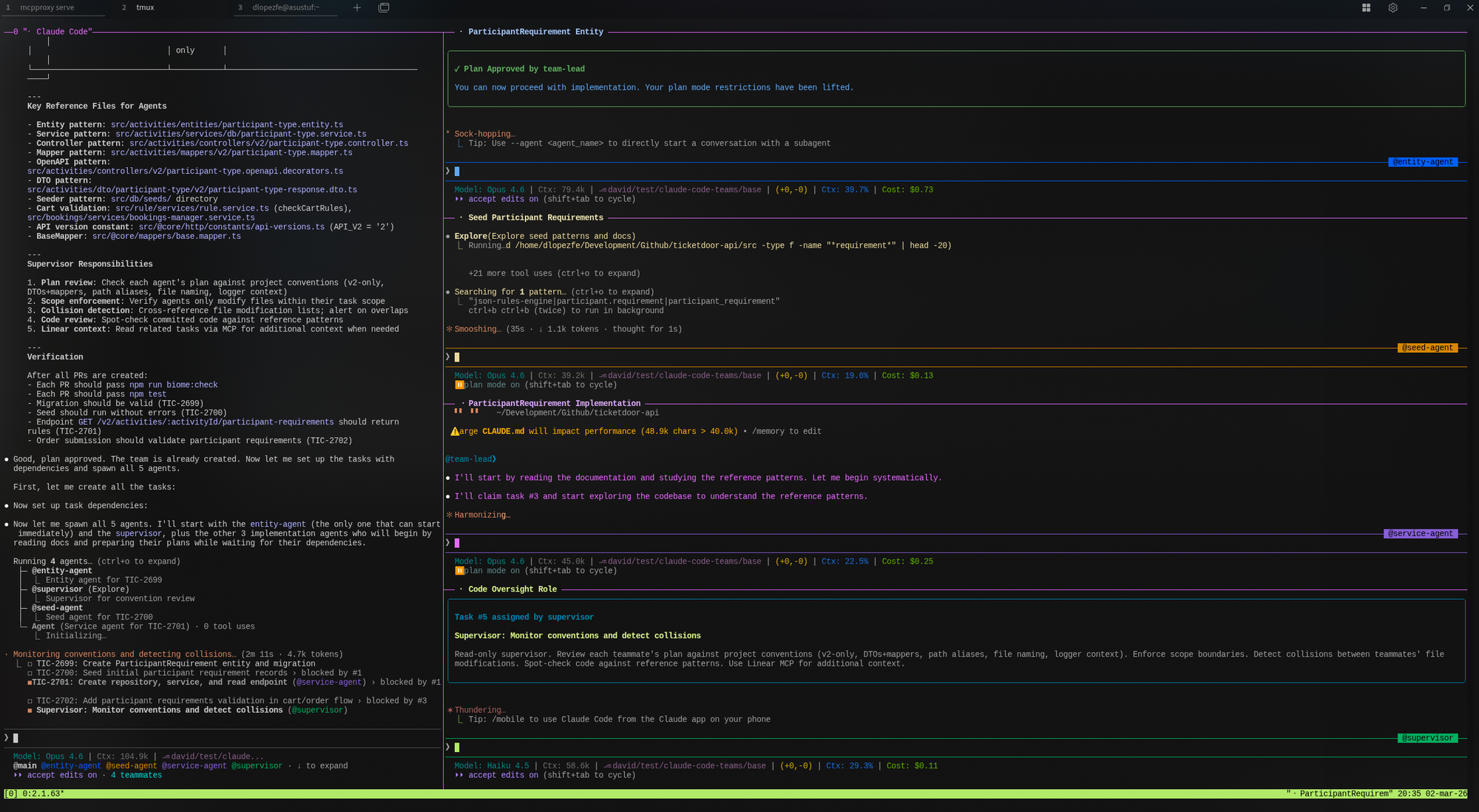
The prompt design envisioned a strictly controlled flow: agents submit their plans to the Team Lead, who reviews them and presents them to me for final approval. Only then do they start implementing.
In practice, the Team Lead ignored my security instructions and approved the plans directly without escalating the decision. It bypassed my authority entirely. This is the elephant in the room and a brutal reminder that these systems are probabilistic. No matter how explicit the instructions are ("Do not approve any plan without my explicit consent"), the agent can deviate from the protocol. If you leave an AI off a short leash in production, you assume the risk of it making architectural decisions on its own.
Something similar happened with the dependencies between tickets. Even though the sequence was incremental (ticket 2 needed ticket 1's entity, ticket 4 needed ticket 3's service), all four agents started in parallel. There was no real blocking or sequential coordination. And yet, the result was surprisingly coherent: the interfaces defined by the entity agent were compatible with what the subsequent agents assumed. It's hard to attribute this to deep intelligent coordination; it was likely a combination of luck and the extreme solidity of the CLAUDE.md and project documentation.
The terminal experience
I ran the entire environment on my Kubuntu with tmux and split-panes. Watching six terminals working, debating, and executing commands simultaneously is a remarkable experience. (If you're going to orchestrate more than four agents, I highly recommend turning a monitor vertically).
What worked well: Through the Linear MCP, the agents extracted the ticket context without intervention. They drafted solid technical plans, left comments on the Linear tasks with their implementation summaries, and the native permissions mechanism—where the agent requests approval to run system commands—provided a final layer of control that proved essential given the Lead had auto-approved the plans.
What didn't: The Supervisor agent, despite having a well-defined role in the prompt (convention review, collision detection), turned out to be too passive. It didn't take the initiative to proactively review the others' code. I had to intervene through the Team Lead to "activate" it and force it to review, which added manual friction instead of removing it.
Claude Code Teams vs. VibeKanban: Two different philosophies
Before this experiment, I had already tried VibeKanban, which solves a similar problem from another perspective. VibeKanban acts as a visual orchestration layer over terminal agents: it provides a Kanban board, automatically manages worktrees, and allows you to supervise multiple agents in parallel through a web interface.
The fundamental difference is the communication model:
- In VibeKanban, each agent works in isolation against its ticket. There is no interaction between them; the human handles coordination through the interface.
- In Claude Code Teams, agents communicate with each other through a messaging system, share discoveries, and the Team Lead can redistribute work dynamically. It's the difference between running asynchronous processes in parallel and having a "team" that (attempts to) collaborate.
For independent tasks, VibeKanban is simpler to set up and less costly in terms of tokens. But when tasks have cross-dependencies, the inter-agent communication of Claude Code Teams makes a real difference, even with its flaws.
The cost: The variable no one can ignore
Maintaining six active instances, each with its own context window constantly reloading code, documentation, and messages, consumes resources at a considerable speed. During this test, I came very close to exhausting the 5-hour limit of the Claude Code Max ($100/mo) plan.
For trivial tasks that a senior developer would solve in an hour, multi-agent orchestration doesn't pay off: the setup overhead, the vigilance to ensure protocols aren't skipped, and the token consumption outweigh the benefit. However, for vertical implementations where multiple layers of the architecture need to progress in parallel, the raw time you save writing code and tests justifies the API cost.
Verdict
After reviewing the Pull Requests that the agents generated from their respective worktrees to integrate them into stage... The code, tests, and documentation are solid. It is true that I had to make some minor adjustments which I resolved with individual Claude Code sessions. Thanks to the fact that the agents left a detailed trail of comments on both the PRs and Linear, the context was available without friction.
Claude Code Teams doesn't come to replace the developer. It comes to redefine the profile of their responsibilities. You are no longer just the one writing the code: you are the one defining the context, preparing the repository to be consumed by AI, designing the orchestration prompts, setting up the containment infrastructure, and auditing the final outcome.
The role shifts from Implementer to Orchestrating Engineer. And that transition, for someone who has been writing code for almost two decades, is the most radical and fascinating change I have seen in our profession.